
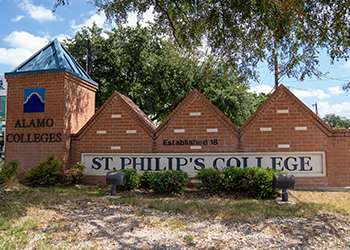




Enroll with St. Philip's College
Apply Now
Apply
Apply and get accepted to college!Applying is free and easy. Visit applytexas.org to complete your application.
|
Next Steps
Access Student Portal
The Alamo Colleges District uses ACES as the online student portal for all of your information and can be accessed at aces.alamo.edu.
Submit Documents
You’ll need to gather and submit several important documents, including:
|
Get Registered
Orientation and Registration
Celebrate your transition to college! You'll learn more about your college programs and services at New Student Orientation (NSO), which is required for all new and transfer students. Once you attend NSO, you'll be able to meet with an advisor and register for classes. Make Payment
After you’ve registered, you’ll need to make sure your tuition has been covered by financial aid or your payments have been made to avoid having your classes dropped. View Registration and Payment Calendar Questions about paying for college? |



Registration for the Full Academic Year is here. So, plan to apply!St. Philip's College offers a wide variety of associate degrees and certifications to put you on the path to achieving your educational and career goals. Our team is ready to help you! Learn more about Full Academic Year Registration
|
Key Dates
|
16-week |
Flex I |
Fall First 5 Week |
Start II |
Fall Second 5 Week |
Flex II |
Fall Third 5 Week | |
|
Last day to apply for admission |
Aug. 14, 2026 |
Aug. 14, 2026 |
Aug. 14, 2026 |
Aug. 29, 2026 |
Sept. 18, 2026 |
Oct. 9, 2026 |
Oct. 23, 2026 |
|
Registration deadline |
Aug. 23, 2026 |
Aug. 23, 2026 |
Aug. 23, 2026 |
Sept. 7, 2026 |
Sept. 27, 2026 |
Oct. 18, 2026 |
Nov. 1, 2026 |
|
Census date |
Sept. 9, 2026 |
Aug. 31, 2026 |
Aug. 27, 2026 |
Sept. 21, 2026 |
Oct. 1, 2026 |
Oct. 26, 2026 |
Nov. 5, 2026 |
Enrollment Tutorial Videos
How to Register for Classes?
- Login to ACES with your ACES ID and password (If you do not have your ACES ID and password, follow the instructions on the ACES login page.)
- Select Student Tab
- Select the Register Here Icon
- Select Proceed To Registration Link
- Select Register for Classes
- Select a Term and Submit (Do not select any term that has CE or COM)
- Review GPS/ISP to gather Course Name and Number
- Enter the Subject, Course Number and College (St. Philip's College)
- Select the Course that fits your Availability (Keep in mind the start dates, if the course is in person, online or requires a zoom time.)
- Once you find a course, scroll to the right and select add
Repeat steps 7-10 to add additional classes.
To Drop classes from your schedule, click the drop-down menu beside the course you wish to drop and select **Web Dropped Prior to Term**.
At the bottom, select Submit Changes and the course will be removed from your schedule.
To see what classes you will be taking, log into ACES and select:
- “Student” in the menu on the left side of the page
- “Register Here”
- “Proceed to Registration”
- “View Registration Information”
- Choose the semester from the drop-down menu
- Once your schedule appears, you have the option to print, save to PDF by selecting the Print Option, or take a screenshot if you are using your cell phone
- Pay attention to the start date and end date of each class
| Registration/Academic Calendar | Search for Classes |
Interested in Short-term Training Opportunities?
We offer accelerated skills training to help you get started or get ahead in your career. Programs can be completed in a shorter amount of time. |
Free Educational and Job Placement Program
Land a high-quality, in-demand job with free tuition and career guidance. The Alamo Colleges is an approved training partner of SA Ready to Work. |


|
|
Keep Learning PlanIn the face of the challenges presented by the COVID-19 crisis, the Alamo Colleges District offers a Keep Learning Plan to provide students with financial relief and help them stay in college. Learn about four major initiatives to keep students learning |
Remote ResourcesWe are here to support you through remote learning and beyond. Do you need access to technology? Need to purchase or rent textbooks? Want to know more about the SPC SafeSPaCe and how to access advocacy support services remotely? |
Visit our CampusesOne of the best ways to learn more about our college is to visit our campuses, so please take advantage of the opportunity to take a campus tour. We look forward to welcoming you to SPC soon! |
How can we help you?
MLK CampusWelcome Enrollment Center, Room 202 Monday - Friday Wednesday First Saturday Phone: 210-21-ALAMO Southwest CampusBuilding 1 #B172 (Career and Transfer) Phone: 210-486-7281 |
Student Onboarding Staff |
|
Resources
Printer Friendly ChecklistFirst-Time Students ChecklistFormer Students ChecklistTransfer Students Checklist |
Important Links |
Student Resources |
Help Desk is the central point of contact for all technology needs. Contact us by phone, email or visit.
Contact Us |
District Helpdesk Information Phone: 210-485-0555 Option 4 Hours of Operation Monday - Friday 8:00 a.m. - 12:00 a.m. |
Caller Checklist When calling, please have the following information readily available
|
|
College Helpdesks |
St. Philip's College Helpdesk 210-486-2777 |
|
Need More Information?
- We know ten reasons for you to attend St. Philip's College.
- Schedule a tour.
- You can find us on the map.
- Browse our Viewbook.
- Can't decide on your career path? Explore The Alamo Institutes to discover your best fit.
- Can't find what you're looking for? Complete our Online Inquiry Card and let us help you.
The following nationally recognized websites can help you understand how college works: