





Student Resource HubYour Guide to
|
 |
Get Started with ACES
Your ACES student portal is a hub of information for everything you need throughout your time with the Alamo Colleges District. In ACES, you can check your student email, register for courses, view your grades, find your assigned certified advisor, view your tuition bill, and more. Log in to ACES and start exploring!
1. In ACES, click the circle with your initials at the top right corner of your screen.
2. Select “View Profile” from the dropdown menu.
3. In your profile's ‘Details’ section, locate the ‘School ID’ area to find your Banner/Student ID number.
1. In ACES, select “Academics” from the menu
2. Find the "Classes" card to view your registered courses by semester, including course name, meeting days and times, location, and class modality.
1. In ACES, select “Paying for College” from the menu
2. Find the “Student Account” card to access current and past tuition billing statements and pay your bill.
1. In ACES, select “Paying for College” from the menu
2. Find the “Financial Aid Awards” card to view your current and past financial aid offers to see the amounts and types of aid received.
 |
Stay ConnectedCheck your student alamo.edu email regularly to receive important information & deadlines, academic reminders from your advisor and instructors, and campus events and opportunities. Follow your college's official social media accounts to stay up to date on important announcements, key dates, campus events, student resources, and opportunities to connect with your campus community. |
Academic & Campus Resources
Set yourself up for success with information, services, and resources to help you navigate campus.
- Review the Registration Calendar for registration deadlines, census dates, and term dates.
- The Payment Calendar lists tuition payment deadlines, financial aid disbursement dates and refund dates.
- The Academic Calendar includes District-wide closures and final exam dates.
Get the textbooks and course materials you need at no cost with AlamoBOOKS+.
Borrow a laptop at no cost to help you complete your coursework and stay connected throughout the semester. Contact your home college's IT department to request a device here.
Use campus maps to find parking lots, locate buildings and classrooms, and explore common areas like student centers and dining locations.
Student parking is free at all Alamo Colleges District campuses and is available in designated student parking areas. No permit or decal is required.
All students have access to a free VIA U-PASS for unlimited rides on VIA bus and Link services throughout the semester.
Your attendance is mandatory on the first day of in-person and virtual classes, or you could be dropped. Fully online classes have an attendance verification activity. Refer to your course syllabus for details.
Review your course syllabi before the semester begins to find important information about key dates, required materials, grading policies, and course expectations.
Use the “Academics Quick Links” card in ACES to find and review the syllabus for each of your courses.
Generative Artificial Intelligence (GenAI) technologies are becoming common resources for learning and future employment. We encourage students to develop AI literacy while maintaining academic integrity, critical thinking, and personal responsibility. Review our Generative AI Guide here.
College coursework can be challenging, but you’re not alone. We offer free in-person and virtual tutoring services, computer labs, and libraries with study spaces.
 |
Know Where To GoFind your way around with campus maps to buildings, services, parking, dining and more—so you can get where you need to go with confidence. |
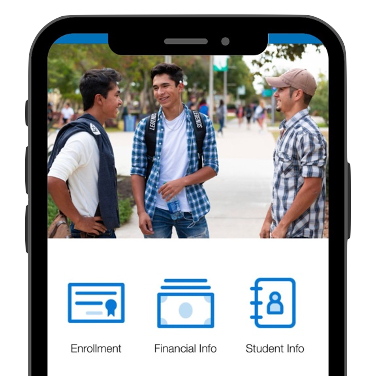
Download the ACD Mobile AppStay connected wherever you are. Access ACES, receive important notifications, and manage your student information from your mobile device.
|
 |


Emergency & Security Resources
Your safety on campus and online is important. Learn about the tools available to help keep you informed and protected throughout the semester.
The Alamo Colleges Police Department (ACPD) provides 24/7 law enforcement and campus safety services, including vehicle assistance, criminal reports, and courtesy escorts. Save ACPD’s phone numbers and locate blue light emergency phones on campus for quick access.
- On-campus emergency: (210) 485-0911
- Non-emergency: (210) 485-0099
Sign up to receive updates about campus or district-wide closures, delays, and emergencies related to severe weather or unexpected events, here.
Watch for suspicious emails demanding payment or asking for passwords, banking/payment information, Social Security numbers, one-time passcodes, or other sensitive information.
If you receive a suspicious email, do NOT respond, click any links, or open attachments.
Click the red shield icon in the top Outlook toolbar and select "Report Phishing" to notify the ACD Information Security team of the potential threat.
Need help logging into ACES? Contact your home college’s IT Helpdesk.
- Northeast Lakeview College: 210-486-5777
- Northwest Vista College: 210-486-4777
- Palo Alto College: 210-486-3777
- San Antonio College: 210-486-0777
- St. Philip's College: 210-486-2777
 |
Safeguard Your InformationThe Alamo Colleges District will NEVER ask for your password, banking or payment information, full Social Security number, or one-time passcodes through email, text, phone, or online form. |
Student Support SystemCollege is more than academics. Take advantage of services that support your health, well-being, and campus involvement.
|