





Stay Vigilant: Identifying Scams in Wake of Canvas Breach
May 12, 2026
In light of the recent data breach affecting Canvas, it is important that all members of our community understand digital security and the role we all play in safeguarding personal information.
At this time, there's been no evidence that sensitive personal information was compromised. However, after these types of cyber-attacks, leaked information can expose members of our community to more sophisticated phishing attempts.
Cybercriminals are already avidly targeting colleges and universities with fake messaging through email, text, and phone that may appear to come from platforms like Canvas. Sometimes, they even pretend to be a person you may know, such as an educator or friend, making it increasingly difficult to identify what’s real and what’s a scam.
Protect yourself and others by remaining vigilant and remember these important safety tips before you respond.
1. BE ALERT FOR FAKE EMAILS AND MESSAGES
The use of logos, colors, names, or email signatures are often used when attempting to bait you into believing they’re real.
They may ask you to:
- “Verify” your account
- Click a suspicious link
- Reset your password immediately
- Open an attachment
- Provide personal information
- Send money or gift cards
Alamo Colleges District will never ask for:
- Your password
- Your Multi-Factor Authentication (MFA) code
- Your full Social Security Number by email, call or text
- Your banking information through email, call or text
- Your full credit card information by email, call or text
- Your login verification codes by email, call or text
If someone asks for these items, it is likely a scam.
2. HOW TO SPOT A PHISHING SCAM
Recognizing phishing attempts is more important than ever, as scammers now use AI to create messages that look legitimate and professional.
Be cautious if a message:
- Creates urgency or fear: “Your account will be closed today!”
- Asks you to click links immediately
- Comes from a strange email address
- Has spelling or grammar mistakes
- Offers unexpected jobs, refunds, or prizes
- Requests confidential information
- Looks different from normal school communications
- Contains only attachments and no message
- Attachments that you didn’t ask for or expected
3. REPORTING A PHISHING ATTEMPT
If you receive a suspicious email, do not respond, open attachments, or click any links.
- Pretty sure it’s phishing? Click the red shield icon in the top Outlook toolbar and select "Report Phishing" to notify the ACD Information Security team of the potential threat.
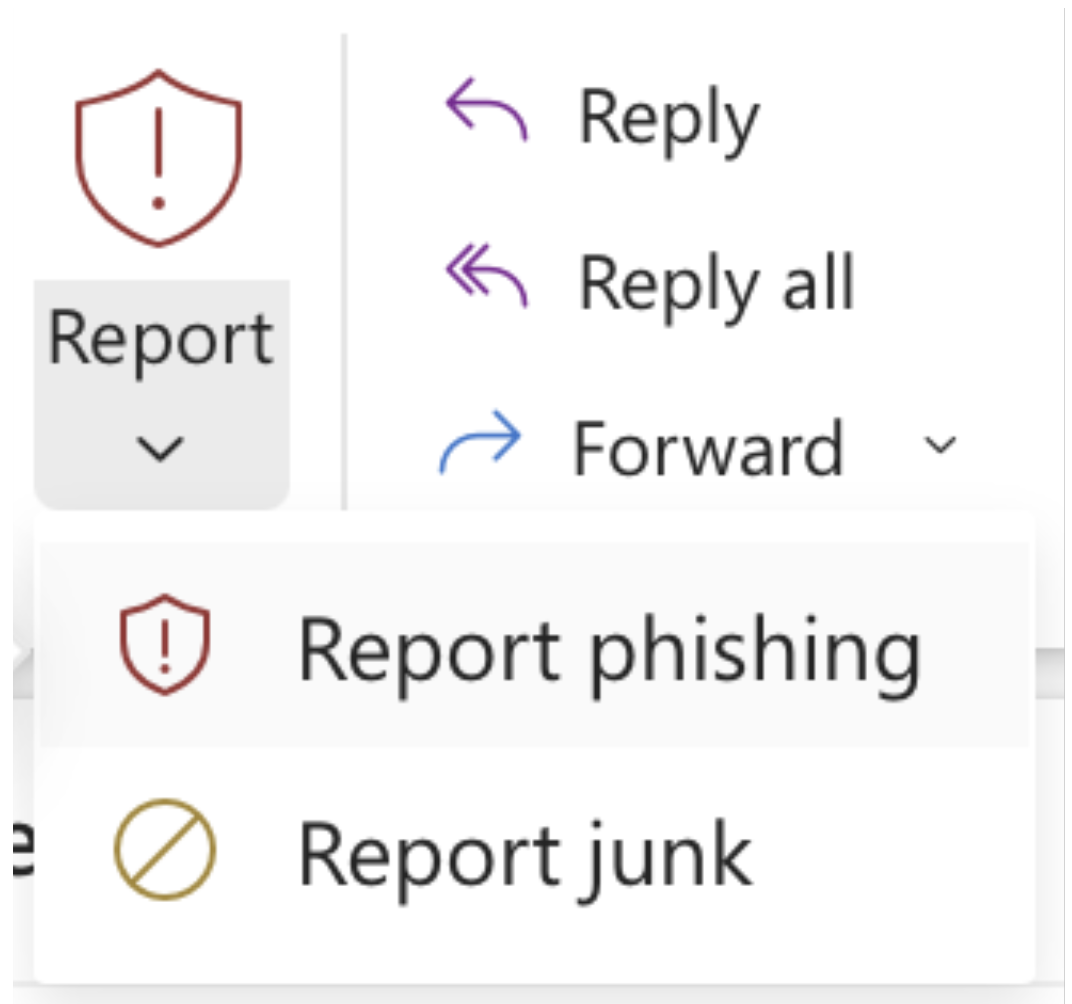
- If you are unsure, attempt to contact the legitimate sender who you believe the email is impersonating to confirm whether they sent the email.
4. IF YOU THINK YOU WERE SCAMMED
If you clicked a suspicious link, entered your password somewhere unusual, or responded to a suspicious message, take immediate action:
- Call the ACD Police Department non-emergency line at 210-485-0099 or contact dst-dpsdispatch@alamo.edu.
5. MAKE SURE YOUR ACCOUNT IS SECURE
Make sure your ACES account is secure by setting up your security questions. This serves as an additional layer of verification to prevent unauthorized access to your account, and it gives you a way to recover your account if you forget your password.
Remember: Cybercriminals rely on confusion, urgency, and trust. Take your time and verify before responding.
When in doubt, contact the Alamo Colleges District directly using official phone numbers listed on our website.